Writing Specifications
The My Specs section is your workspace for writing and managing product specifications.
My Specs Overview
To Do Tab
This tab is your primary workspace. It lists all products that have been assigned to you (usually by marking them as "Received" in the Request flow).
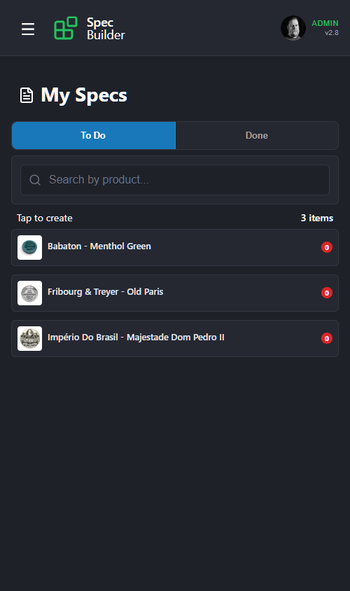
- Priority: Focus on clearing this list.
- Action: Tap any item to open the Specification Editor.
Done Tab
This is your archive of completed work.
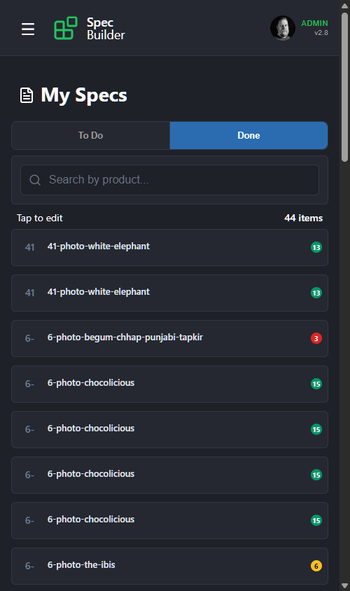
- Review: Tap any item to view the spec you submitted.
- Edit: You can make changes to submitted specs if needed.
Writing a Specification
The Specification Editor guides you through three steps to ensure comprehensive data collection.
Step 1: Characteristics
These fields help categorize the product for user searching and filtering.
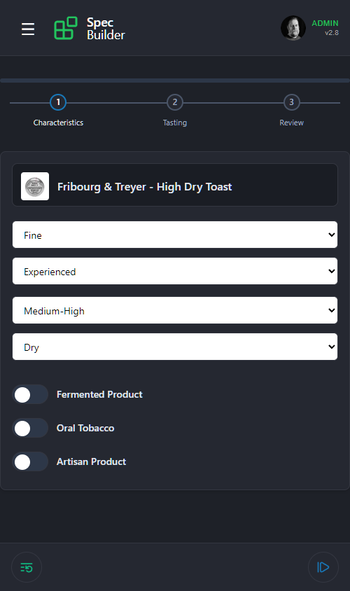
- Grind: How fine is the texture? (e.g., Fine, Medium, Course)
- Experience Level: Is this for beginners or seasoned users?
- Nicotine Level: Rate the strength from Low to High.
- Moisture Level: How moist is the product?
- Toggles:
- Fermented: Has the tobacco undergone fermentation?
- Oral Tobacco: Is this product intended for oral use (like snus)?
- Artisan: Is this a small-batch or craft product?
Tap Next Step to proceed.
Step 2: Tasting
This section builds the flavor profile.
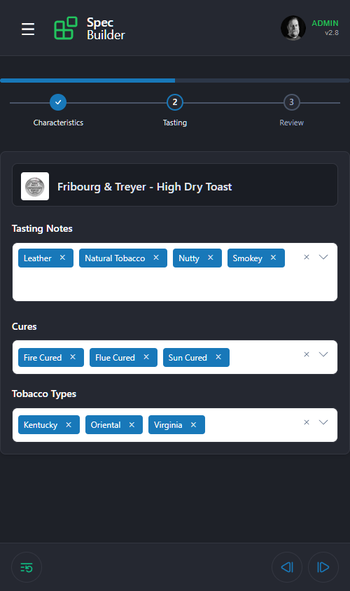
- Tasting Notes: Select all that apply. Be specific! (e.g., Leather, Citrus, Earthy). You can select multiple notes.
- Cures: Select the tobacco curing method (e.g., Fire Cured, Air Cured).
- Tobacco Types: Select the base tobacco varieties used (e.g., Virginia, Burley).
Tap Next Step to proceed.
Step 3: Review
The final step adds your personal evaluation.
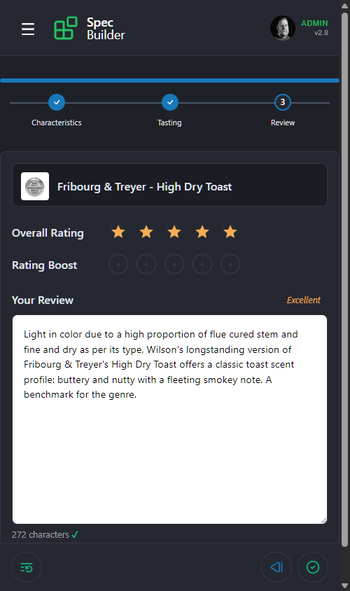
- Overall Rating: Your subjective score (1-5 stars).
- Rating Boost: Use this sparingly for exceptional products that deserve a "Staff Pick" status or higher visibility.
- Your Review: Write a detailed description (minimum 50 characters). Mention the aroma, texture, and finish. This text is what users will read to understand the product's character.
Tap Submit to save and complete your specification.